
Age Calculator - Calculate Your Exact Age
Calculate your age in years, months, days. Fast, accurate, and completely free.
Age Calculator
Your data is never stored. Runs in your browser.
Why Use Our Age Calculator?
| ⚡ Instant | 🎯 Accurate | 🔒 Private |
|---|---|---|
| Calculate age in years, months, days | Accurate by calendar date | No data stored • 100% secure |
| 📱 Mobile | 🌍 Global | 💯 Free |
| Works on all devices | Works with your device date picker | No hidden costs |
How to Calculate Your Age
- 1Enter Your Birth Date
- Select the day, month, and year you were born
- Use the date picker or type manually
- Your browser may display dates as MM/DD/YYYY or DD/MM/YYYY
- 2Choose Calculation Date (Optional)
- Leave blank to calculate your age today
- Or select a future date to see your age on that date
- Example: "How old will I be on December 31, 2026?"
- 3Click Calculate
- Instant results appear below
- View your age in multiple formats
- Share or print your results
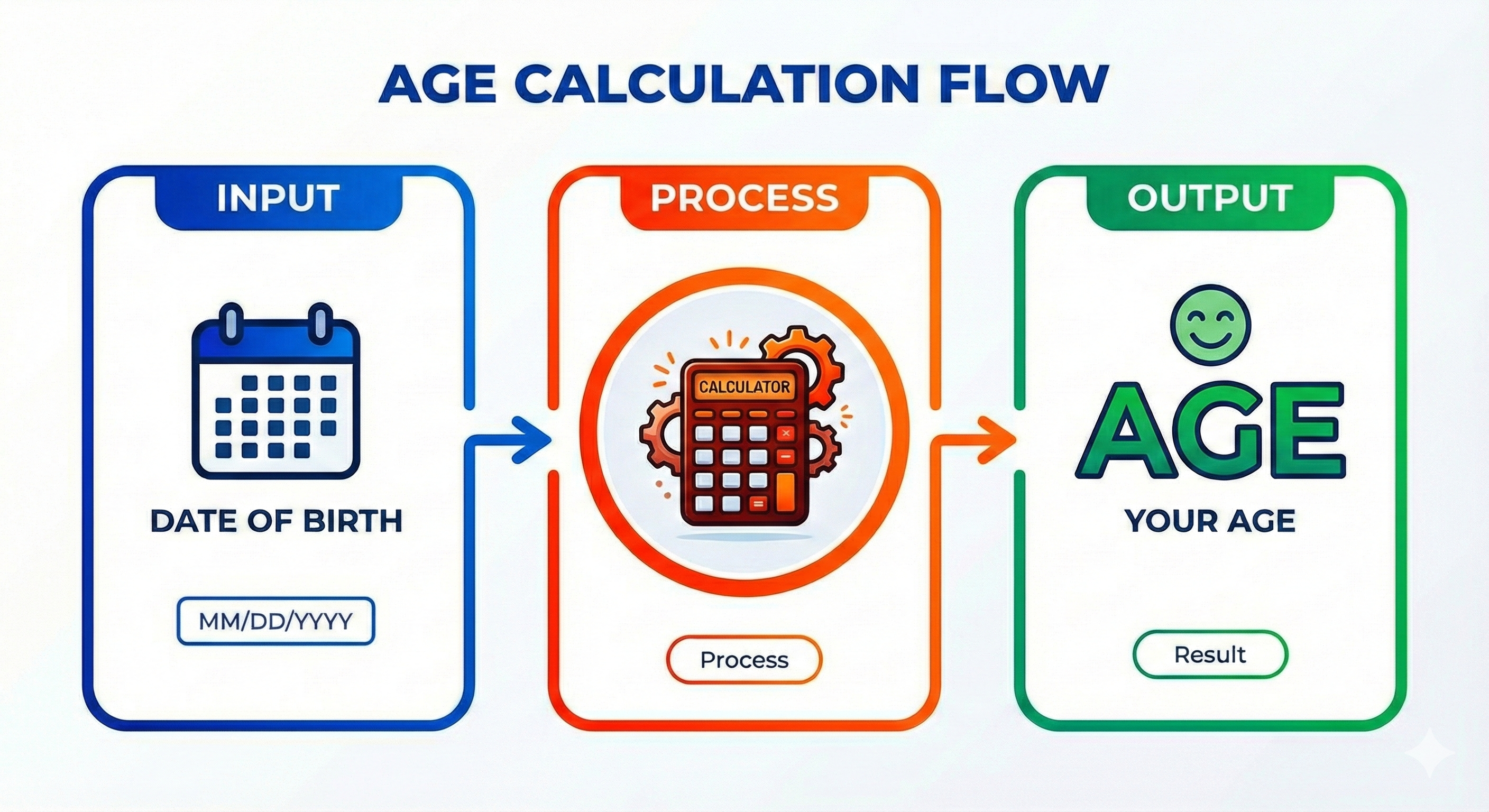
Age Calculator App (Works on Mobile)
On mobile, this works like an app. Open the page in your browser and add it to your home screen for one-tap access.
- iPhone (Safari): Share → Add to Home Screen
- Android (Chrome): Menu → Add to Home Screen
No install required. It launches faster next time and feels like a lightweight app.
Age Calculation Formula
Adjust if the birth month/day hasn’t occurred yet in the current year.
Calculate Age From Date of Birth
To calculate your age from your date of birth, enter your birth date and choose a reference date (today by default). The calculator returns your exact age in years, months, and days, and can also show totals in months and days.
How to Calculate Age Manually
- 1Subtract the birth year from the current year to get approximate years
- 2Count complete months from the last birthday to the current month
- 3Calculate remaining days from the last completed month to today
- 4Adjust for months where the birth day hasn't occurred yet this year
- 5Account for leap years (extra day in February every 4 years)
Age Calculator by Year (Quick Method)
If you only know the birth year, you can estimate your age by subtracting: Age ≈ Current Year − Birth Year. Example: 2026 − 1990 = 36. Then adjust by 1 year if your birthday has not happened yet this year.
Age Calculator Online
This is an online age calculator that runs in your browser. No downloads, no signup, and your birth date stays on your device. Enter your date of birth, choose an “age as of” date (optional), and get your exact age instantly.
Popular Uses of an Age Calculator
- 1👶 Calculate Baby's Age
- Track your baby's growth in months, weeks, and days
- Perfect for new parents and pediatric appointments
- Try Baby Age Calculator
- 2📝 Legal & Official Documents
- Calculate exact age for passport applications
- Check school admissions eligibility and cut-off rules
- Use for insurance forms and government exam requirements (UPSC, SSC, etc.)
- 3📅 Age on a Specific Date
- See your exact age on any past or future date
- Useful for admissions cutoffs, forms, and eligibility rules
- Example: "How old will I be on December 31, 2026?"
- 4💑 Age Difference Calculator
- Calculate age gap between couples
- Compare ages of siblings or friends
- Try Age Difference Calculator
- 5🏥 Medical & Health
- Use for medical records and patient intake
- Check clinical trial eligibility criteria
- Plan age-specific screenings and pediatric growth tracking
- 6📊 Research & Statistics
- Support demographic and age distribution analysis
- Do historical date calculations for studies
- Useful for genealogy and family history research
Understanding Age Calculation Methods
Chronological age (what we calculate) measures the time elapsed since birth. Biological age measures your body's functional capacity compared to average health markers. While our calculator provides precise chronological age, maintaining a healthy lifestyle can keep your biological age lower than your calendar years. Regular exercise, balanced nutrition, and stress management all contribute to healthy aging.
How to Use the Age Calculator
- 1Enter your birth date in the first field
- 2Select your calculation date (today by default) or choose another date
- 3Click 'Calculate' to see your exact age breakdown
- 4View totals like total months lived and total days lived
- 5Use quick date buttons for common comparisons like 'end of year' or 'next month'
Practical Applications of Age Calculation
Age calculation serves numerous practical purposes beyond simple curiosity. Human Resources departments use it for employee benefits and retirement planning. Schools use it for enrollment eligibility. Medical professionals use it for developmental assessments. Financial institutions use it for retirement account distributions. Historians use it for biographical research. Our calculator provides the precision needed for all these applications.
Step-by-Step: How the Calculation Works
| Step | Action | The Logic |
|---|---|---|
| 1 | Calculate Years | Subtract Birth Year from Current Year. (e.g., 2026 - 1990 = 36 Years) |
| 2 | Calculate Months | Count full months from your last birthday until today. |
| 3 | Calculate Days | Count the remaining days after the last full month. |
| 4 | Leap Year Adjustment | Add 1 extra day for every year divisible by 4 (Feb 29th) within the range. |
Fun Age Facts & Milestones
- 10,000 Days Old: Approximately 27 years and 4 months (A significant personal milestone)
- Golden Birthday: When your age matches your birth date (e.g., turning 25 on the 25th)
- Half Your Life: The point where you've lived half your expected lifespan
- Retirement Age: 65-67 years (Traditional full retirement age in most developed countries)
- Century Mark: 100 years (Celebrated as a major life achievement worldwide)
The Science Behind Accurate Age Calculation
Why is an online calculator better than mental math? The Gregorian calendar has 365 days in a standard year, but leap years have 366 days. Months range from 28 to 31 days. A simple subtraction of years ignores specific months and days, leading to errors. Our algorithm accounts for: Leap years (extra days in February), Variable month lengths (30 vs 31 days), and Date logic (handling month-end transitions correctly).
How to Calculate Age in Excel
Many users want to calculate age in spreadsheets for large datasets. While our online tool is faster for individuals, here are the formulas to calculate age from a Date of Birth (DOB) in Microsoft Excel:
- Method 1 (Precise): Use the DATEDIF function.
=DATEDIF(A1, TODAY(), "y")
(Where A1 is the cell containing the Date of Birth) - Method 2 (Year Fraction):
=INT(YEARFRAC(A1, TODAY()))
These formulas automatically update the age every time you open the Excel file.
Age Calculator FAQs
How is age calculated?
Age is calculated by finding the difference between your birth date and the current date (or a selected date). We count complete years first, then remaining months and days for precision. Formula: Current Date - Birth Date = Your Age.
Is the age calculator accurate?
Yes. The calculator is accurate by calendar date and accounts for leap years and different month lengths. If your calculator includes time-of-day, it can reflect time zones as well. For very old historical dates, calendar differences may affect results depending on the date standard used.
Can I calculate my age on a future date?
Absolutely. Use the "Age as of Date" field to see your exact age on any future date. This is useful for eligibility cutoffs, planning, and official forms.
What age information does the calculator show?
It shows your age in years, months, and days, plus total months lived and total days lived.
Is my birth date information stored?
No. Your birth date is not stored. Calculations happen in your browser, and no data needs to be sent to a server for the result.
Can I calculate someone else's age?
Yes. Enter their birth date and (optionally) choose the reference date. This works for friends, family, public figures, and historical people (with the same historical date caveats for very old records).
How do I calculate age in Excel?
Use DATEDIF. Years: =DATEDIF(birth_date, TODAY(), "Y"). Months: =DATEDIF(birth_date, TODAY(), "M"). Days: =DATEDIF(birth_date, TODAY(), "D").
What's the difference between chronological age and other age types?
Chronological age is the actual time since birth (what this calculator computes). Biological age is based on health markers. Mental age relates to cognitive development. Social age refers to behaviors and roles compared to peers.
Can the calculator handle dates before 1900?
Yes, if your system supports those dates. Many modern date libraries handle historical dates, but very old dates can have edge cases depending on calendar standards and library limitations. For best reliability, dates from 1800 onward are typically safe.
Why Leap Years Exist

Visualizing a Lifetime: How We Spend Our Years
Average Time Allocation in an 80-Year Life
Years Spent · values shown as provided